Showing posts with label Canon Printer Error Code. Show all posts

Friday, 6 June 2025

Canon Printer Error Code


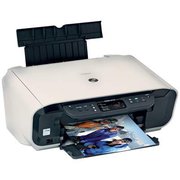
Procedure to reset Printer canon MP140, MP 145and Canon MP160 with Error Code Message for Printer Canon MP140, MP145 and Canon MP160, you can find error code message the end of this post:

1) With the printer powered off but connected to a power source, press the Power button while pressing and holding the Stop/ Reset button.

2) When the Power is lit, press the Stop/Reset button two times while pressing and holding the Power button


3) When releasing the Power button and the Stop / Reset button (regardless of order), the printer will move into a service mode. (Waiting for menu selection)
 

4) When the on/off lights in green, press the Stop/Reset button the specified number of time(s) according to the function listed in the table below.(Each time the Stop/Reset button is pressed, the LED lights alternately in orange and green, starting with orange.)note: press 4 times for waste ink counter reset.

The number of the Reset button pressing LED Function Remarks
0 time Green Power off
1 time Orange Service pattern print
2 times Green EEPROM print
3 times Orange EEPROM reset
4 times Green Waste ink counter reset
5) Unplug cable power. (for MP145 / MP150)
6) Turn Off Power. (for MP160)


E2-2 = No paper (ASF)
E3-3 = Paper jam
E4 = No ink
E5-5 = The ink cartridges are not installed or a non-supported ink cartridge is installed, or the ink cartridges are not installed properly
E8 = Waste ink absorber full, or platen waste ink absorber full
E9 = The connected digital camera / video camera does not support Camera Direct Printing
E14 = The Ink cartridges whose destination are wrong
E15 = Ink cartridge is not installed E16 – Ink remaining is unknown
E16 -E19 = Failed to scan head alignment sheet
E22 = Carriage error
E23 = Paper feed error
E24 = Purge unit error
E25 = ASF(cam) sensor error
E26 = Internal temperature rise error
E27 = Waste ink absorber full or platen waste ink absorber full
E28 = Ink cartridge temperature rise error -
E29 = EEPROM error
E33 = Paper feed position error
E35 15 = USB Host VBUD overcurrent error – USB
E37 17 = Abnormal motor driver error
E40 20 = Other hardware error
E42 22 = Scanner error


Call Canon Help Center +1-800-577-1869

Wednesday, 10 October 2012

Canon's New BlackBerry Smartphone Printing and Scanning Aps


In response to the increase of mobile devices in the workforce and the demand for print and scan capability from device users, Canon U.S.A., Inc., a leader in digital imaging solutions, today announced the availability of the Canon Direct Print and Scan for Mobile application for BlackBerry® smartphones. This application provides BlackBerry smartphone users with a mobile print and scan solution that easily integrates their BlackBerry smartphones with their Canon imageRUNNER and imageRUNNER ADVANCE systems1.

The Canon Direct Print and Scan for Mobile application is a combination of two separate applications:
1.      A multifunctional embedded application platform (MEAP) application that runs on Canon's imageRUNNER multifunction products (MFP)
  1. A mobile client application that resides on BlackBerry smartphones

Together the applications provide communication between Canon MFPs and BlackBerry smartphones allowing users to perform print and scan functions between the two devices, such as scanning from the MFP to BlackBerry smartphones or printing from BlackBerry smartphones to the MFP. This server-less, driver-less solution provides flexibility for the on-the-go mobile worker for their print and scan needs.

"In today's highly mobile workplace users seek instant access to important documents without sacrificing print quality," said Sam Yoshida, vice president and general manager, Marketing, Business Imaging Solutions Group, Canon U.S.A. "The Canon Direct Print and Scan for Mobile application meets our customers' demands by coupling the ability to manage printing needs from your fingertips while achieving high-quality output results."

The mobile client application is available now as a free download from BlackBerry App World™. The MEAP application is available for purchase from Authorized Canon Dealers.

Canon Direct Print and Scan for Mobile, coupled with a compatible Canon imageRUNNER MFP, expands the capabilities of the mobile workforce with an array of printing and scanning opportunities. Customers will now be able to easily print emails, PDFs and photos from BlackBerry smartphones to a Canon MFP, scanning hard copy documents to BlackBerry smartphones and remotely manage Canon MFPs, print finishing features, and scan options (e.g., select paper size selection, select scan resolution selection, duplex printing, color vs. black and white, select number of prints, collate and more).
Call Us +1-855-517-2433 (Toll Free)